








Zombs Royale
- Developer
- End Game Interactive
- Load Speed
- Fast (0–60 sec)
- Release Date
- Mar 2018
- Last Updated
- Play Mode
- Online Multiplayer
- Local Players
- 1 Player
- Controls
- Keyboard & Mouse, APP
- Perspective
- Top-Down
What Is Zombs Royale?
Zombs Royale is a 2D multiplayer survival shooter. Search for equipment, fight other players and stay ahead of the shrinking danger zone. Winning depends on surviving the final encounter, not simply collecting the most eliminations.
Game Screenshots
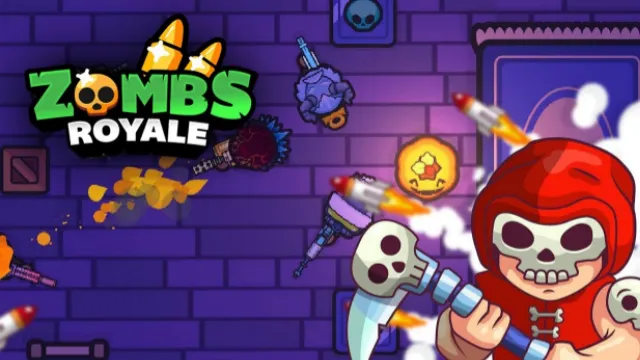
Loot, Relocate and Survive
Start by finding a usable weapon. Break shiny loot boxes or interact with chests, then build a loadout that covers different fighting distances. Higher-quality weapons can offer more power, but choosing equipment that suits the next fight still matters.
Keep checking the safe area while looting. A good building becomes a poor position if the zone forces you out through an exposed route.
Solo and Team Matches
Solo puts you on your own; Duo and Squad add teammates who can cover routes and help in a fight.
Game Controls
- W A S D or arrow keys: move
- Move Mouse: aim
- Left Click: fire
- E: open doors and interact with loot
- R: reload
These are browser keyboard-and-mouse controls. Use the app's on-screen layout when playing its mobile edition.
Battle Royale Tips
- Loot with a way out. Check your next route toward the safe area before spending time comparing items.
- Balance the loadout. Two weapons for the same situation may leave you unable to respond when the fighting distance changes.
- Move with team support. In a team mode, a nearby teammate can cover the approach instead of arriving after the fight is over.
- Choose the final engagement. If another fight is already happening, use the information it reveals before exposing your position.
Download


Frequently Asked Questions
Will cosmetic purchases make my weapons stronger?
The official app listing describes purchasable cosmetic items as not changing game balance. Weapon quality found during a match is separate from account cosmetics.
Why can I no longer select a special mode?
Limited-time playlists rotate. Its absence from the current lobby does not mean you have failed to unlock a permanent mode.
Is the mobile download an official version?
The linked App Store listing uses the exact ZombsRoyale.io name and refers to the game's official domain. Availability can vary by store region.
What should I do if the game won't load, lags, shows a blank screen, or won't start?
Try one of these four steps:
- Clear your browser cache, then reload the game.
- Open the game in an incognito or private browsing window.
- Try a different browser, such as Microsoft Edge or Google Chrome.
- On the game cover, click Primary in the top-right corner and select a different game source, if available.
What should I do if matchmaking stays on "Connecting" or the loading circle keeps spinning?
Matchmaking can take longer when fewer players are online or when servers are busy. A persistent "Connecting" message can also indicate a connection or server issue. Try these options:
- Recommended: on the game cover, use the source selector in the top-right corner (usually labeled Primary) to try another available game source. This may help if the current source is having connection issues, but different sources may share the same matchmaking servers. If no other source is available, try the options below.
- Browse Similar Games on this site and try a similar game while you wait.
- Choose a Single Player game that does not require matchmaking. PvE games may also be suitable, but check that they support solo play: a PvE tag alone does not guarantee single-player or offline play.


Leave a Comment
Comments (0)