






GunSpin
- Developer
- Minijuegos
- Load Speed
- Not specified
- Release Date
- Nov 2019
- Last Updated
- Play Mode
- Single Player
- Local Players
- 1 Player
- Controls
- Keyboard & Mouse, Touch Controls
What Is GunSpin?
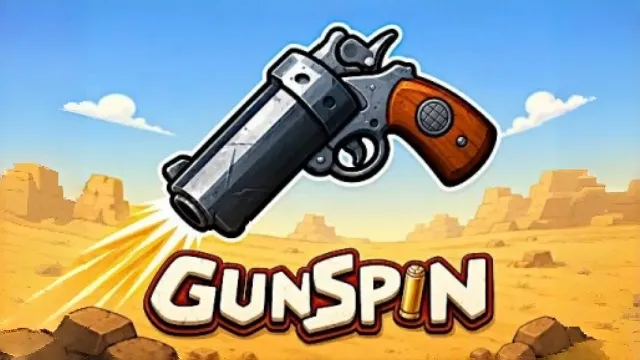
GunSpin turns a gun into the object you move rather than a weapon for fighting enemies. Each shot produces recoil, pushing the rotating firearm in the opposite direction. Your goal is to travel as far as possible before its ammunition and momentum run out.
Game Screenshots
Distance, Upgrades and Unlocks
Watch the barrel's rotation and fire when the recoil will carry the gun forward or lift it away from the ground. Unnecessary shots spend the limited ammunition without necessarily extending the run.
Earn coins from your attempts and invest in bullet count, shot power, opening-shot strength or ammunition boxes. Distance milestones unlock additional guns, giving you new statistics to work with.
Game Controls
- Left Click: fire a shot
- Touchscreen: tap to fire
No movement keys are needed: the gun's recoil supplies the movement.
Tips for Longer Runs
- Read the barrel before clicking. Recoil travels opposite the shot, so firing at an unfavorable angle can undo forward progress.
- Let useful momentum carry you. Save bullets while the gun is already moving in the right direction.
- Upgrade the problem you notice. More ammunition helps short runs; greater recoil helps when each shot produces too little movement.
Frequently Asked Questions
Can I aim the gun freely with the mouse?
The challenge is timing shots around the gun's rotation, not steering a freely aimed character. Watch where the barrel points before firing.
Why is a new gun still locked?
Weapon unlocks depend on distance milestones. Check the armory's requirement rather than assuming that having enough coins unlocks every gun.
Does GunSpin have online opponents?
This browser version is a solo distance challenge, not a multiplayer gunfight.
What should I do if the game won't load, lags, shows a blank screen, or won't start?
Try one of these four steps:
- Clear your browser cache, then reload the game.
- Open the game in an incognito or private browsing window.
- Try a different browser, such as Microsoft Edge or Google Chrome.
- On the game cover, click Primary in the top-right corner and select a different game source, if available.
What should I do if matchmaking stays on "Connecting" or the loading circle keeps spinning?
Matchmaking can take longer when fewer players are online or when servers are busy. A persistent "Connecting" message can also indicate a connection or server issue. Try these options:
- Recommended: on the game cover, use the source selector in the top-right corner (usually labeled Primary) to try another available game source. This may help if the current source is having connection issues, but different sources may share the same matchmaking servers. If no other source is available, try the options below.
- Browse Similar Games on this site and try a similar game while you wait.
- Choose a Single Player game that does not require matchmaking. PvE games may also be suitable, but check that they support solo play: a PvE tag alone does not guarantee single-player or offline play.






Leave a Comment
Comments (3)
axgoat
Oct 11, 2026
perfect 10/10 peak game play even thou they should add sprinting and sliding
MonkeyMan123p
Oct 9, 2026
this NEEDS more love
Izac_1633
Oct 9, 2026
❤️ Loved it