







Battle Dudes
- Developer
- Sarunas Visockas
- Load Speed
- Fast (0–60 sec)
- Release Date
- Not specified
- Last Updated
- Play Mode
- Online Multiplayer
- Local Players
- 1 Player
- Controls
- Keyboard & Mouse, APP
- Perspective
- Top-Down
What Is Battle Dudes?
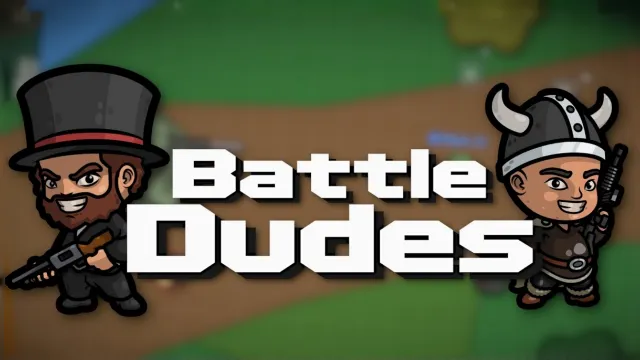
Battle Dudes is an online 2D shooter where the battlefield itself can change during a fight. Break obstacles, move between objectives and combine weapons with teammates to win on destructible maps.
Game Screenshots
Objectives, Vehicles and Loadouts
Team Deathmatch rewards eliminations, while Capture the Flag, Conquest and Hold Point require you to deliver or control an objective. Read the match goal before choosing where to fight.
On larger maps, a jeep can carry a driver and a passenger who keeps shooting. A tank seats one player and trades mobility for a powerful explosive weapon with a longer reload. Vehicles help with travel, but their different roles matter near a defended objective.
Experience unlocks more weapons. Loadout perks can change handling, movement and other combat statistics, so choose combinations that support your role rather than judging a weapon alone.
Game Controls
- W A S D: move
- Move Mouse: aim
- Left Click: fire
- R: reload
- E: interact with a vehicle
- Scroll Wheel or 1–4: switch weapons
Bindings can be adjusted in the game settings.
Battlefield Tips
- Do not trust damaged cover. Destructible obstacles can stop protecting you as the fight continues.
- Use a jeep as a two-player task. A shooting passenger can cover the driver during a crossing.
- Respect the tank's reload. Choose a protected position before firing instead of exposing yourself while waiting for the next shot.
- Fight near useful objectives. Winning a distant duel does less for a capture mode than helping your team hold the contested point.
Download


Frequently Asked Questions
How do I keep weapon unlocks between sessions?
Create or use an account to save your experience and progress. Check that you are signed into the intended account before a long session.
Are coins and gems the same currency?
No. Coins are earned through play, while gems can be purchased. The shop offers different items for each currency.
Is there an iPhone or iPad app?
Yes. The Download section includes Sarunas Visockas's verified App Store listing. A separate app does not establish touch compatibility for every browser.
What should I do if the game won't load, lags, shows a blank screen, or won't start?
Try one of these four steps:
- Clear your browser cache, then reload the game.
- Open the game in an incognito or private browsing window.
- Try a different browser, such as Microsoft Edge or Google Chrome.
- On the game cover, click Primary in the top-right corner and select a different game source, if available.
What should I do if matchmaking stays on "Connecting" or the loading circle keeps spinning?
Matchmaking can take longer when fewer players are online or when servers are busy. A persistent "Connecting" message can also indicate a connection or server issue. Try these options:
- Recommended: on the game cover, use the source selector in the top-right corner (usually labeled Primary) to try another available game source. This may help if the current source is having connection issues, but different sources may share the same matchmaking servers. If no other source is available, try the options below.
- Browse Similar Games on this site and try a similar game while you wait.
- Choose a Single Player game that does not require matchmaking. PvE games may also be suitable, but check that they support solo play: a PvE tag alone does not guarantee single-player or offline play.




Leave a Comment
Comments (0)