







Shell Survivor
- Developer
- AZGames
- Load Speed
- Not specified
- Release Date
- 2026
- Last Updated
- Play Mode
- Single Player
- Local Players
- 1 Player
- Controls
- Keyboard & Mouse
- Perspective
- Top-Down
What Is Shell Survivor?
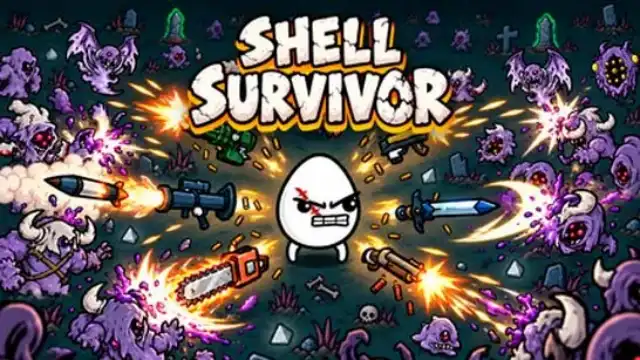
Shell Survivor is a top-down survival shooter built around automatic weapons and between-wave upgrades. You steer a small fighter through alien crowds while your equipment handles the attacks. The challenge is to stay alive, collect useful drops, and turn a modest starting loadout into a build that can withstand the final wave.
This is a solo fight against monsters. Positioning and upgrade choices matter more than manually lining up every shot.
Game Screenshots
How to Play Shell Survivor
Survive, collect, and prepare
Keep clear of approaching enemies and projectiles until the wave timer expires. Defeated aliens leave materials used for experience and shop purchases. Leveling up offers a choice of stat improvements; healing fruit can help you recover during a wave.
Build a loadout that works together
You can carry up to six automatic weapons. Spend materials between waves on equipment that complements your character and existing gear. Combine two identical weapons of the same tier to create a stronger version, up to tier four. Reroll shop offers when you need a better match, or lock an item you want to retain.
Damage and attack speed help clear crowds, while health, armor, recovery, and movement upgrades help you survive mistakes. Standard runs lead through 20 waves to a final boss. Higher Danger settings and Endless offer further challenges.
Shell Survivor Controls
Desktop controls:
- W A S D or ↑ ← ↓ →: Move.
- Left Click: Select menu options, shop items, and upgrades.
- Q: Reroll shop offers.
- E: Lock a shop item.
- Tab: View stats.
- Esc: Pause.
Weapons aim and fire automatically during combat; a fire-button press is not required.
Tips for Surviving Longer
- Leave yourself an exit. Move toward open gaps before enemies close around you. A material drop is not worth walking into a packed group.
- Buy for your build. Compare an offer with the weapons and bonuses you already have instead of purchasing every new item.
- Check for matching weapons. Combining a duplicate can strengthen an existing slot rather than forcing an unrelated weapon into the loadout.
- Fix the problem ending your runs. Add health or protection when a few hits kill you; invest in damage when enemies pile up faster than you can clear them.
- Do not spend every material rerolling. Keep enough to buy a useful offer when it appears, and use the lock option when appropriate.
Frequently Asked Questions
Can I play Shell Survivor with a friend?
This version is a single-player survival game. There is no shared-keyboard or online co-op mode documented for it.
Is Shell Survivor the same as the mobile drill-mining game?
No. This page is for the browser alien-wave shooter. A separate older mobile game uses the same name, so its app listings and drilling controls do not apply here.
What should I do if the game won't load, lags, shows a blank screen, or won't start?
Try one of these four steps:
- Clear your browser cache, then reload the game.
- Open the game in an incognito or private browsing window.
- Try a different browser, such as Microsoft Edge or Google Chrome.
- On the game cover, click Primary in the top-right corner and select a different game source, if available.
What should I do if matchmaking stays on "Connecting" or the loading circle keeps spinning?
Matchmaking can take longer when fewer players are online or when servers are busy. A persistent "Connecting" message can also indicate a connection or server issue. Try these options:
- Recommended: on the game cover, use the source selector in the top-right corner (usually labeled Primary) to try another available game source. This may help if the current source is having connection issues, but different sources may share the same matchmaking servers. If no other source is available, try the options below.
- Browse Similar Games on this site and try a similar game while you wait.
- Choose a Single Player game that does not require matchmaking. PvE games may also be suitable, but check that they support solo play: a PvE tag alone does not guarantee single-player or offline play.

Leave a Comment
Comments (0)