








EV.io
- Developer
- Enthusiast Gaming
- Load Speed
- Not specified
- Release Date
- Jan 2021
- Last Updated
- Play Mode
- Online Multiplayer
- Local Players
- 1 Player
- Controls
- Keyboard & Mouse
- Perspective
- First-Person
What Is EV.io?
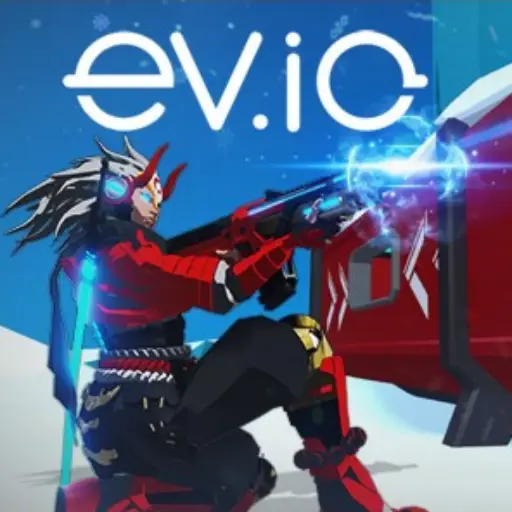
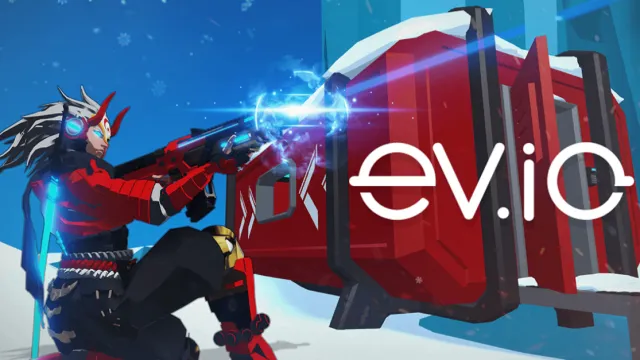
EV.io is a multiplayer first-person shooter set in futuristic arenas. Teleportation, extra jumps, and utility equipment let you change angles quickly instead of trading shots from one doorway. Choose your starting weapon and abilities, then look for stronger weapons around the map.
You can enter browser matches without installing a client. The game combines direct gunfights with movement and resource decisions: reaching a pickup or saving a movement ability can matter as much as landing the first shot.
Game Screenshots
How to Play EV.io
Set up before the fight
Open the menu to choose a primary weapon and adjust abilities. Automatic and precision weapons suit different firing rhythms, while movement choices affect how you reach high ground or escape pressure. Try one setup long enough to learn its strengths.
Control routes and weapon pickups
Use the arena's upper levels and teleport options to approach from more than one direction. Snipers, rockets, and other pickup weapons expand your options, but their ammunition is limited. Plan a route to useful equipment without exposing yourself for the whole journey.
Choose the right match
Deathmatch is an individual contest; Team Deathmatch rewards a team's combined fighting. Other supported formats include Capture the Flag, Battle Royale, and private-match variants. Co-op Survival shifts the objective to fighting waves of AI enemies and bosses. Available maps and modes depend on the lobby you select.
EV.io Controls
- W A S D: Move.
- Move Mouse: Look around.
- Left Click: Shoot.
- Right Click: Aim down sights.
- Space: Jump; respawn when prompted.
- Shift: Sprint.
- C: Crouch; use with Shift to slide.
- Q: Teleport.
- R: Reload.
- G: Throw a grenade.
- 1–4: Select a weapon.
- Tab: View the scoreboard.
- M: Open the menu and loadout settings.
Check your chosen abilities and key bindings before a match; the settings allow changes to controls and teleport behavior.
EV.io Tips
- Keep a movement option for the exit. Spending every teleport or sprint opportunity to chase one opponent can leave you exposed after the fight.
- Look above ground level. Extra jumps and elevated routes create attack angles that a doorway-only approach misses.
- Make pickup ammunition count. Save rockets and precision shots for a clear opportunity rather than emptying a powerful weapon at an uncertain target.
- Match utility to the route. Smoke can obscure a crossing, while mines can make a narrow approach harder to follow.
- Change one setting at a time. Adjust aim sensitivity or a movement binding, then try it before changing the rest of the loadout.
Frequently Asked Questions
Do I need a crypto wallet or NFT to play EV.io?
No. Ordinary browser matches do not require buying an NFT or connecting a wallet. Optional digital-item and reward features are separate from basic play.
How can I join the same match as a friend?
Use the game's private or share-game options and send the resulting invitation or party code to your friend. Enter a supplied code in the party join field rather than relying on random matchmaking.
Does EV.io require a Windows download?
No. The game runs in a desktop browser. This page does not provide an unofficial APK or a separate installer.
What should I do if the game won't load, lags, shows a blank screen, or won't start?
Try one of these four steps:
- Clear your browser cache, then reload the game.
- Open the game in an incognito or private browsing window.
- Try a different browser, such as Microsoft Edge or Google Chrome.
- On the game cover, click Primary in the top-right corner and select a different game source, if available.
What should I do if matchmaking stays on "Connecting" or the loading circle keeps spinning?
Matchmaking can take longer when fewer players are online or when servers are busy. A persistent "Connecting" message can also indicate a connection or server issue. Try these options:
- Recommended: on the game cover, use the source selector in the top-right corner (usually labeled Primary) to try another available game source. This may help if the current source is having connection issues, but different sources may share the same matchmaking servers. If no other source is available, try the options below.
- Browse Similar Games on this site and try a similar game while you wait.
- Choose a Single Player game that does not require matchmaking. PvE games may also be suitable, but check that they support solo play: a PvE tag alone does not guarantee single-player or offline play.




Leave a Comment
Comments (0)